

Social doubles, perfectly run.
The Tennis Broker takes the admin away, so everyone gets more time on court, the organiser included. Fair courts in a tap, scores in moments and your own centre court umpire to call the courts and keep the time.
- Tennis
- Padel
- Pickleball
- Badminton

For iPhone and Apple Watch. Coming soon for Android™.


Less admin. More time on court.
Before the session
Sign-ups, sorted.
No more counting names in the group chat. Share one link, and players sign up first come, first served, with no app needed. Once it’s full, a waiting list takes over, and a place given up goes to whoever’s next. On the day, everyone’s checked in at once.

When everyone’s here
Anyone plays anyone.
Who am I with? Am I sitting out again? One tap draws the round, with partners and opponents that change, evenly matched courts and sitting out shared through the session. Another tap reads every court aloud, and you head to yours like everyone else.

During the round
Your own centre court umpire.
Nobody has to ask the time. Like a centre court umpire, The Tennis Broker calls every court before the round and says when there are 5 minutes left, even with iPhone locked. Just before time’s up, it asks everyone to finish their game and be ready for the next draw, so the changeover takes moments and everyone’s soon back on court. The line calls stay with the players.
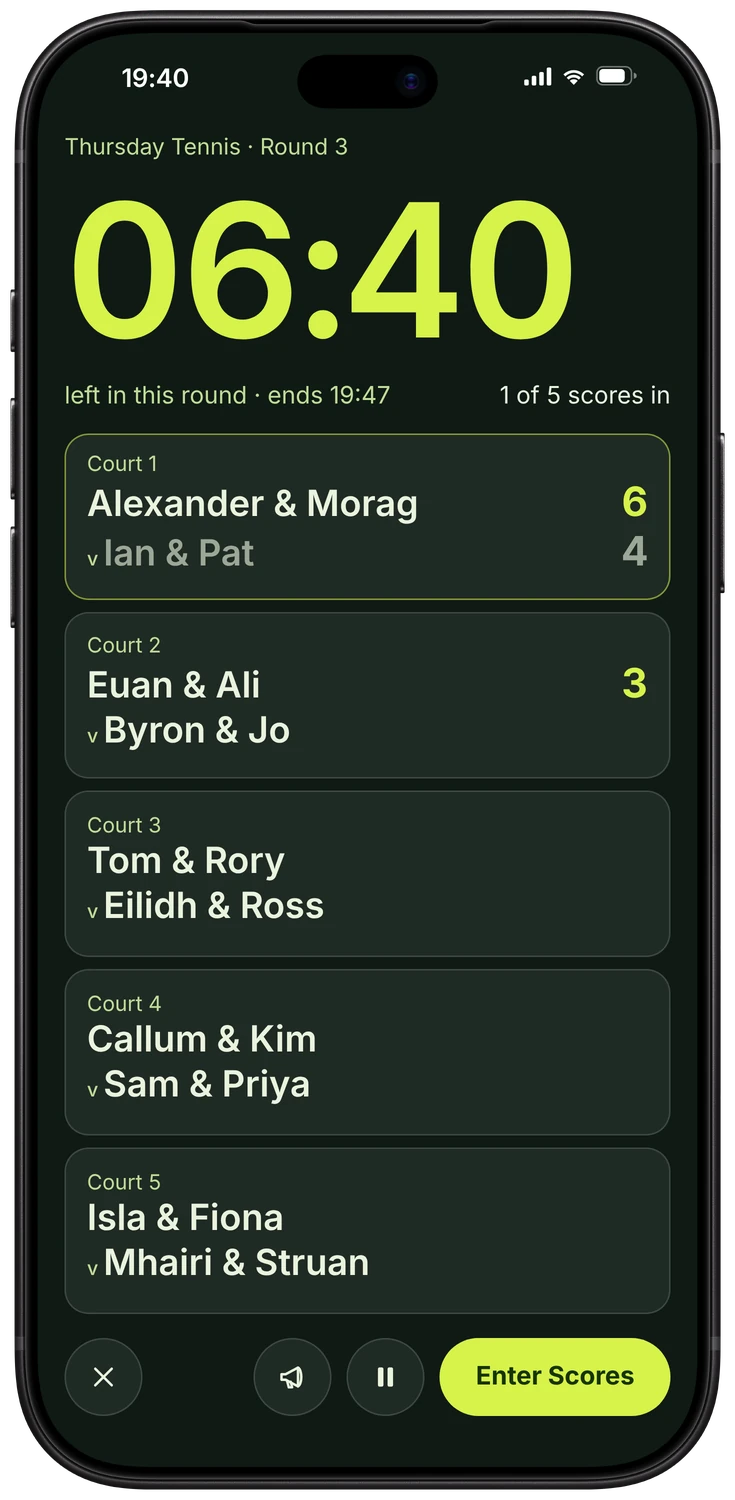
Courtside puts the clock and every court on one bold screen, big enough to read from the baseline.
This is The Tennis Broker voice, the voice of the round alarms in the app. Court calls are read in an iPhone voice or in your own ElevenLabs voice, and Our Voices shows how to make one close to ours.
On Apple Watch
Run it from your wrist.
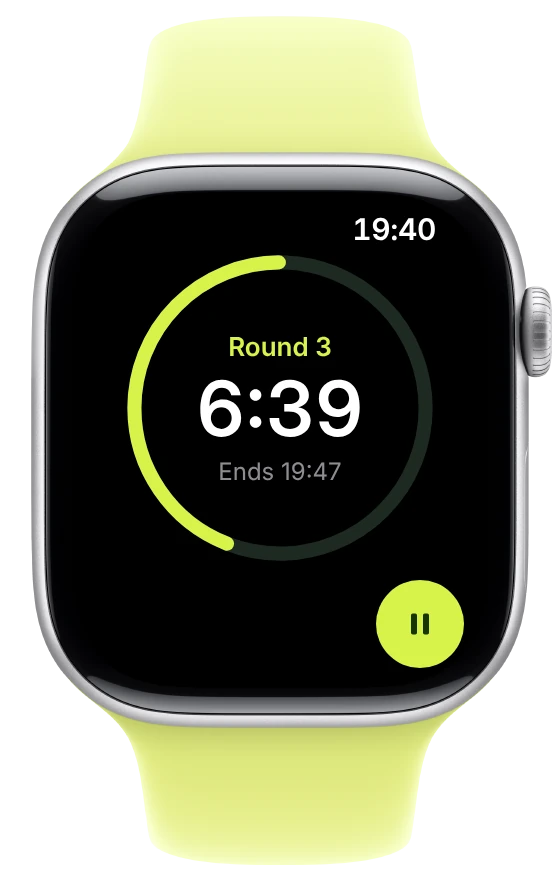
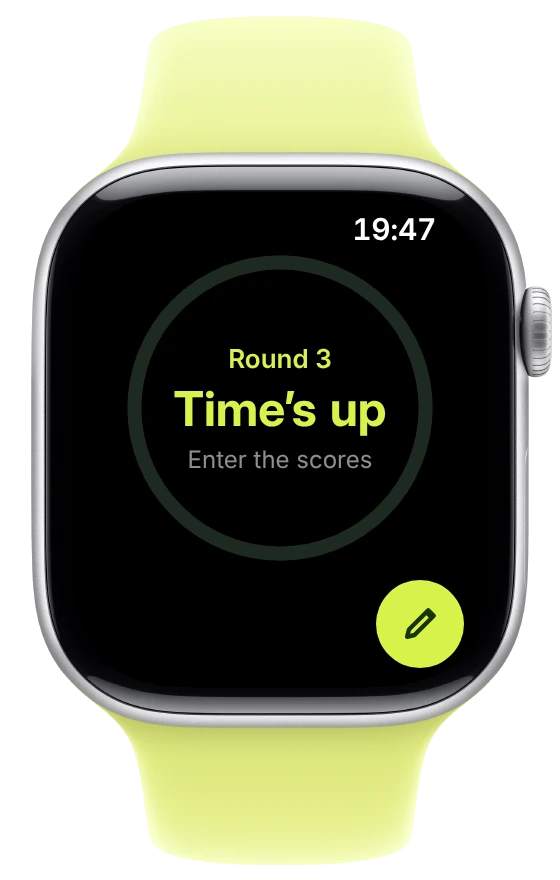
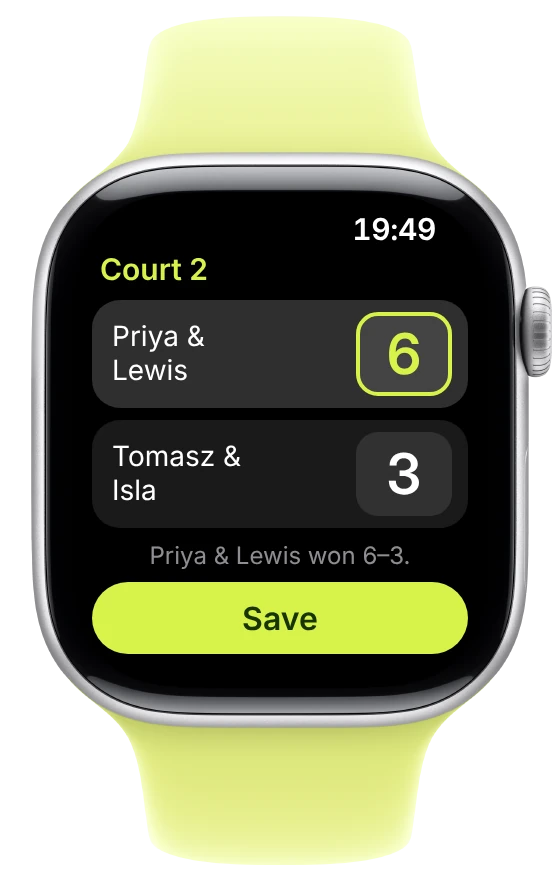
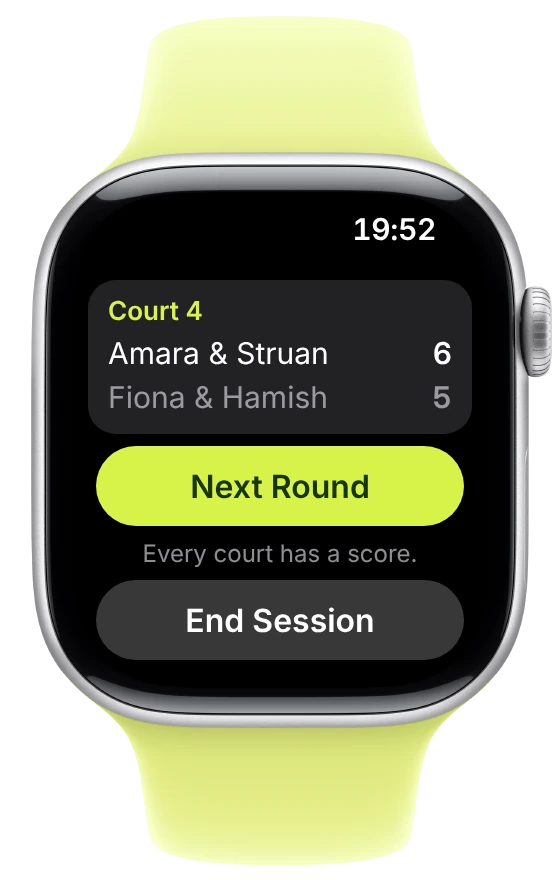
Once the session’s under way, iPhone can stay on the bench while you play. Apple Watch taps your wrist at 5 minutes, at the final warning and at time’s up. Then enter every court’s games and move on to the next round.
The clock in your hands.
Start, pause or restart the round, and add a minute or take one off with − and +. Skip or end the warm-up, and with the Round Timer, start the next round at time’s up.
Announce at any moment.
Announce reads the courts aloud on iPhone at any point in the round, or only what’s changed after a swap. When the session ends, it announces the winners or thanks everyone.
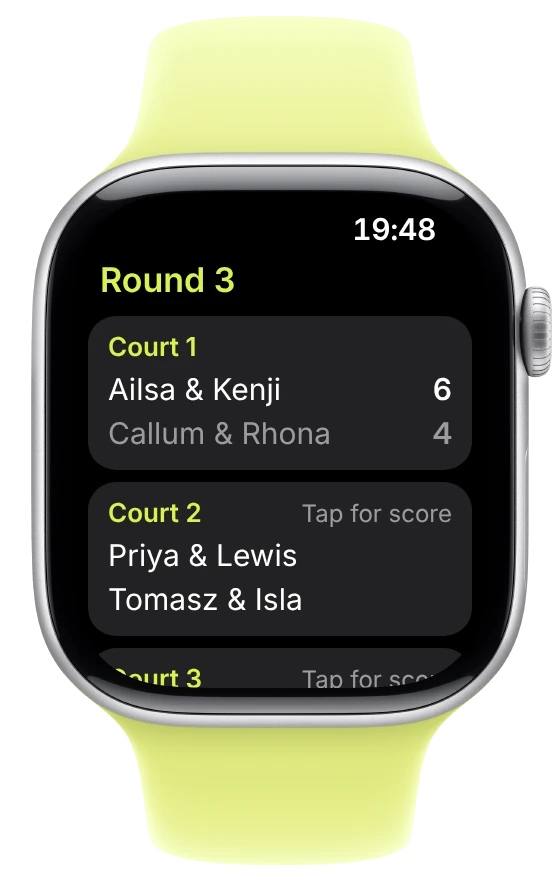
Scores with the Digital Crown.
Every court’s pairs and games at a glance. Tap a court, set its games and save, and it moves on to the next. Then Next Round or End Session, or undo the last round before the new one starts. Match play results go in set by set.
Scores that wait.
Out of range of your iPhone, scores stay on Apple Watch and go across as soon as it’s back.
On iPhone, the round clock counts down on the Lock Screen and in the Dynamic Island, even with the app closed.
At the changeover
Every match counts.
Scores go in as courts finish, in any order, and Next Round is right there once the last is in. Every result moves the ratings, and beating a stronger pair counts for more. Everyone starts at 50. Where they go is up to them.

Across the season
A season worth chasing.
See who’s climbing and who’s leading. The Board ranks the season and celebrates the most improved, the longest win streak and the wins against the odds. History keeps every session and every record, ready for the next debate.


When the session ends
Made to be shared.
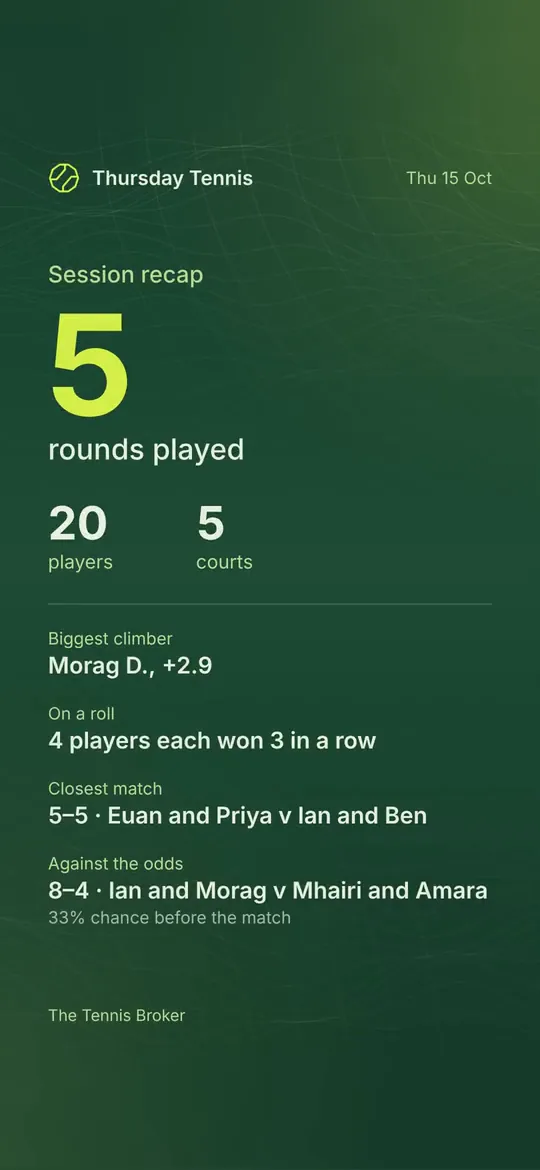
Every session gets a page of its own, with its numbers, its closest match and its wins against the odds. Share it as a picture or a reel with music, in your choice of colours, or send the group a PDF report.
For whoever books the courts
Who’s paid, at a glance.
End the session and its cost is shared out among everyone who played, or set a price each. Send the group the cost from your own messages, with your own payment link. Tick each name as the money arrives, and remind anyone still due, one person at a time. No money passes through the app, and only organisers see who has paid.

For every player
Your season, your story.
In the app, see how you’re progressing, who you win with and who you’re chasing. Claim your name with the link your organiser sends, and every match you’ve played is yours. Then share your season as a picture or a reel.
On iPhone Duo
Open it out.
Closed, every tab is a thumb away. Open it, and Today spreads out in one tall view. Turn it to landscape, and the Board sits beside the player you choose.


Everything a session needs
And so much more.
Match play
One set, a short set, a pro set or best of three, checked set by set. Courts move on as they finish, so nobody waits for the slowest court.
Sessions without scores
The draw and the clock, with nothing to score. Every session still counts on players’ pages.
Every round, drawn ahead
The whole session drawn before the first serve, and still yours to change. Lock a round to keep it as it is when the rest are drawn again.
A warm-up first
Round 1 drawn and ready to announce while everyone warms up.
The Round Timer
The clock and its alarms on their own, when that’s all you need.
Voices, your way
Alarms in The Tennis Broker voice, male or female. Court calls in an iPhone voice, even offline, or in your own ElevenLabs voice.
Announce the winners
In a competition, read the top three out when you’re ready, with a word on the weather when you’ve played outdoors.
Swap suggestions
Swap anyone in seconds, with the best fit first. Announce Changes reads out only the courts that changed.
Live Courts
Players see their court and send its score from their own phone, in the app or on the web. Each score arrives on your iPhone as it’s sent.
Singles by choice
Only players happy to play singles are drawn for it, plus anyone you choose for the day.
Your venue’s courts
Your own court numbers, with a poor court shared out fairly. Whoever booked a court can stay on it all session.
Weather at the courts
Set your venue to see the hours ahead at your courts before you go. Each session keeps the weather it had.
Run it together
Invite other organisers, so it doesn’t all rest on one person. Each sees the same group on their own iPhone.
Join and claim with a link
New players ask to join with a link or a QR code, and you approve each one. A claim link makes a player’s matches and rating their own.
The Board on the web
Players see where they stand, with or without the app.
Notifications
For organisers, sign-ups and requests to join. For players, a place from the waiting list and a reminder before each session.
A PDF report
Each session’s numbers and matches, ready to print or send.
Names your way
Pictures and reels show first name and initial unless you choose full names or initials. Anyone who asked for initials keeps them.
Your group’s look
A background for your sport, and your logo as a sticker on a reel’s last page.
Backed up to iCloud
With iCloud Drive on, every group backs itself up there, ready to restore on a new iPhone.
No passwords
No email address and no phone number. You sign in with a passkey, using Face ID or Touch ID.
Pronouns welcome
Optional, chosen by each player, and shown beside their name in the group, never on shared links.
Made for everyone
VoiceOver, Dark Mode and Reduce Motion on iPhone, with clear contrast and nothing told by colour alone. On Apple Watch, VoiceOver and a dark screen that’s clear to read.
Four sports
Tennis and padel in games or sets, pickleball and badminton in points.
Questions.
Can I run the session and still play?
Yes, that’s the idea. Each round is drawn and read out in moments, the alarms keep everyone on time, and scores go in at the changeover, from iPhone or Apple Watch. In between, you’re on court like everyone else.
Do my players need the app?
No. Players sign up with your link, claim their name and follow the season’s Board on the web. With the app, they also see every match they’ve played and how they’re progressing, sign up in a tap and share their season.
Can it keep track of who has paid for the courts?
Yes. Turn on Court Costs and each session’s cost is split among everyone who played, or charged at a price each. Send the group the cost with your own payment link, tick names as the money arrives, and remind anyone due, privately. Players pay you as they do now, and no money passes through the app.
Which sports does it work for?
Tennis, padel, pickleball and badminton. Any social doubles across courts, scored in games, sets or points, or not scored at all.
Do I need an account?
No. One group lives on your iPhone without one. With an account, you can open sign-ups with a link, run a group with other organisers and let players claim their names. You sign in with a passkey, so there’s no email address and no password.
Can more than one person run a group?
Yes. Invite other organisers, and each signs in with their own passkey, on their own iPhone, to the same group.
Does it work without signal?
Yes. The draw, the round clock and its alarms, scores and the iPhone voice all work offline. Sync and sign-ups catch up as soon as you’re back online. Court calls in your own ElevenLabs voice can be downloaded before you go: Download Announcements in The Draw keeps each round on iPhone.
Is our group’s data safe?
Every group backs itself up on your iPhone and, with iCloud Drive on, in your own iCloud Drive, and you can export a backup at any time. There are no ads and no tracking, and nothing is sold. Players’ names go to ElevenLabs only if you connect your own ElevenLabs voice and allow it.
Which devices does it work on?
iPhone, with an app for Apple Watch that runs the round once a session has started on iPhone. On iPhone Duo, it works closed and opens out across the inner display.
Is there a subscription?
No. You buy The Tennis Broker once on the App Store, and everything is included. There are no in-app purchases.
About the Developer
Made by an organiser, for groups like yours.
Hi, I’m Francisco. I run social doubles in Glasgow on Thursdays and Fridays, I love racket sports almost as much as the numbers behind them, and I’m a self-confessed sucker for fair pairings. The Tennis Broker is the app I always wanted courtside: fair draws, a clock everyone can hear and ratings that show how you’re really playing. See you on court.

Everyone in. Everyone playing.
For iPhone and Apple Watch. Buy it once, and everything’s included. Coming soon for Android.